Rescue an overloaded day
What to do when the day already holds more than it can: see the overload honestly, name what the day is for, and move the rest without losing it.
Some days are overloaded before you touch them. Meetings agreed to weeks ago, tasks that rolled over, a list that grew while you weren’t looking. The instinct is to work faster. The better move is to look at the day honestly and decide what it’s actually for.
It takes about five minutes.
1. See how much is really there
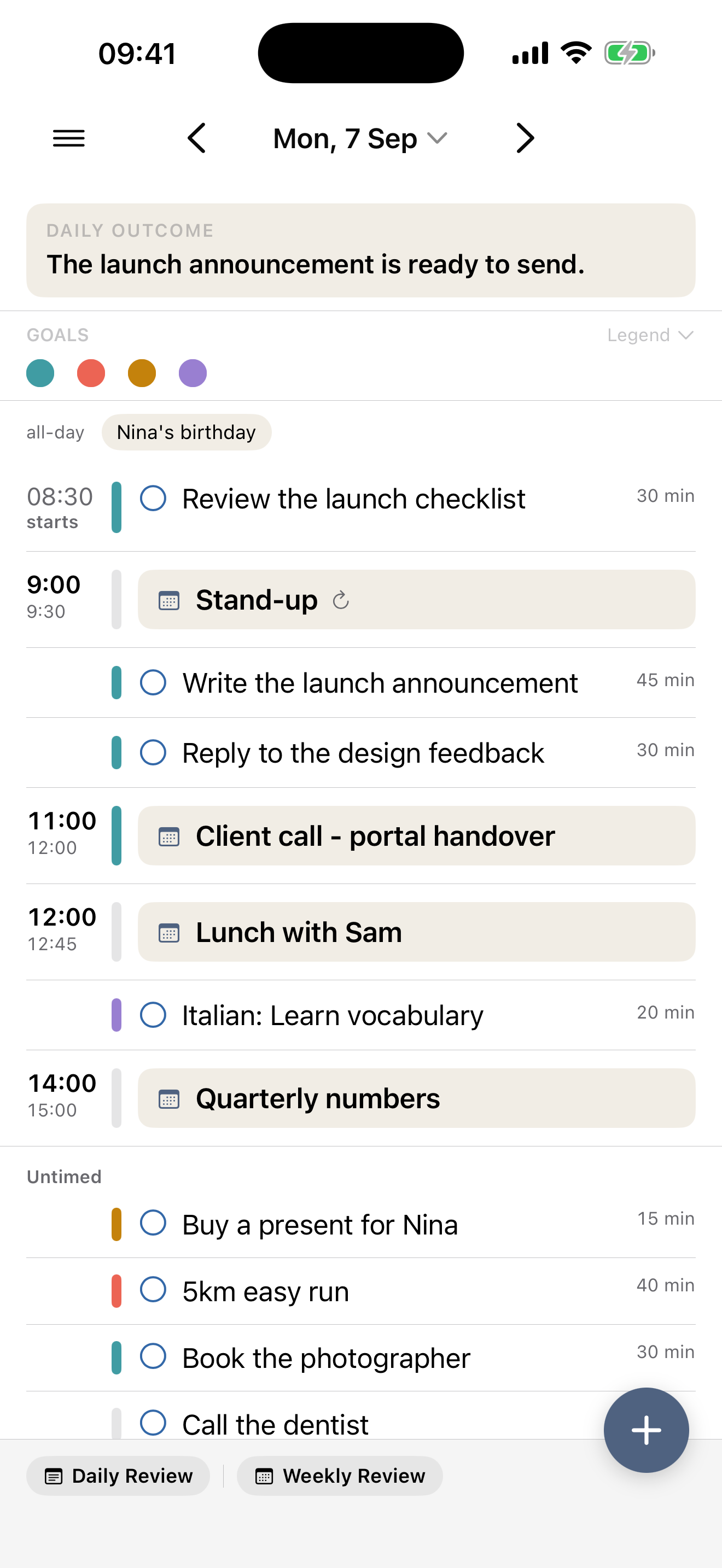
Put everything on the day first — the appointments and the tasks you were planning to do. Not the filtered view, not the optimistic version. All of it.
Most overloaded days don’t feel overloaded until you see them against real hours. Once the tasks sit next to the appointments, the arithmetic stops being a feeling and becomes a picture.
You don’t have to do the sums
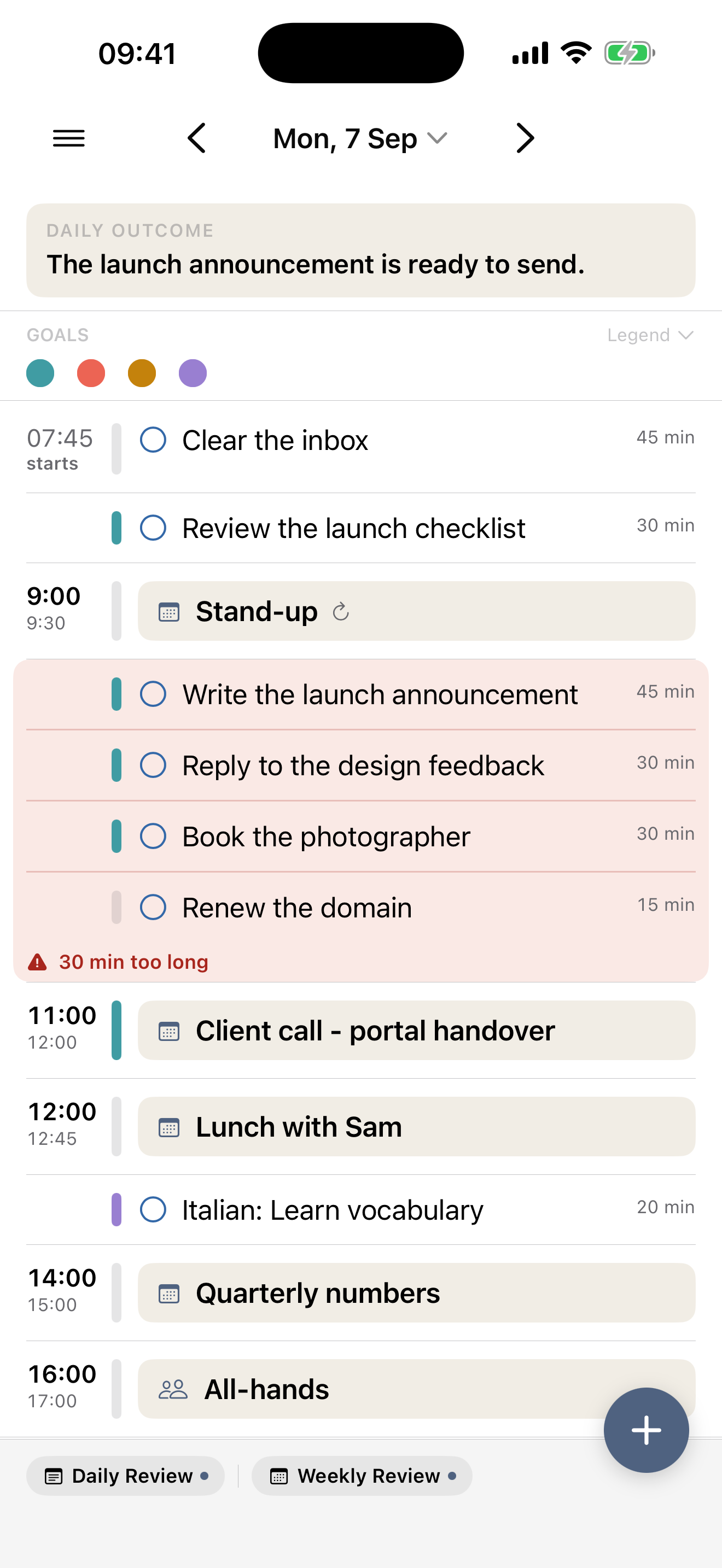
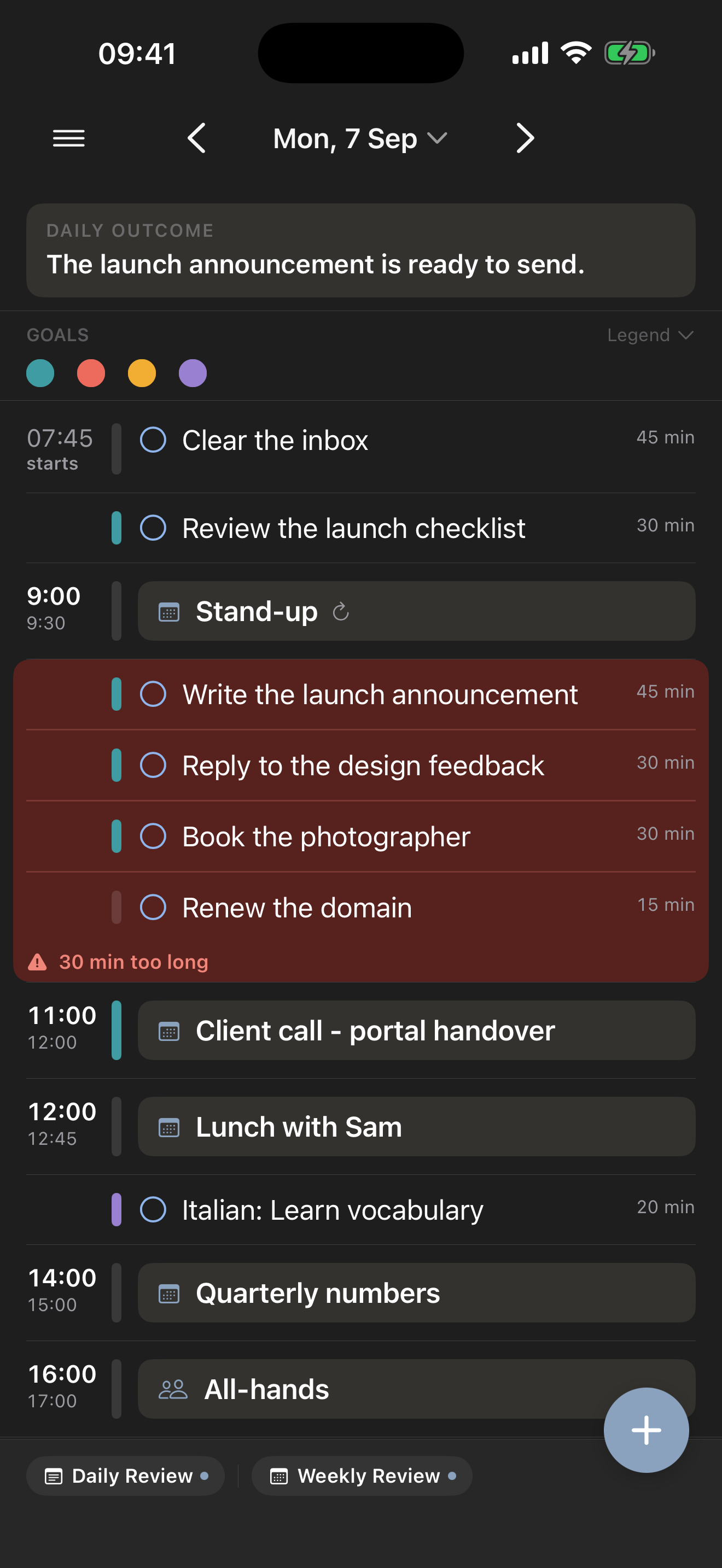
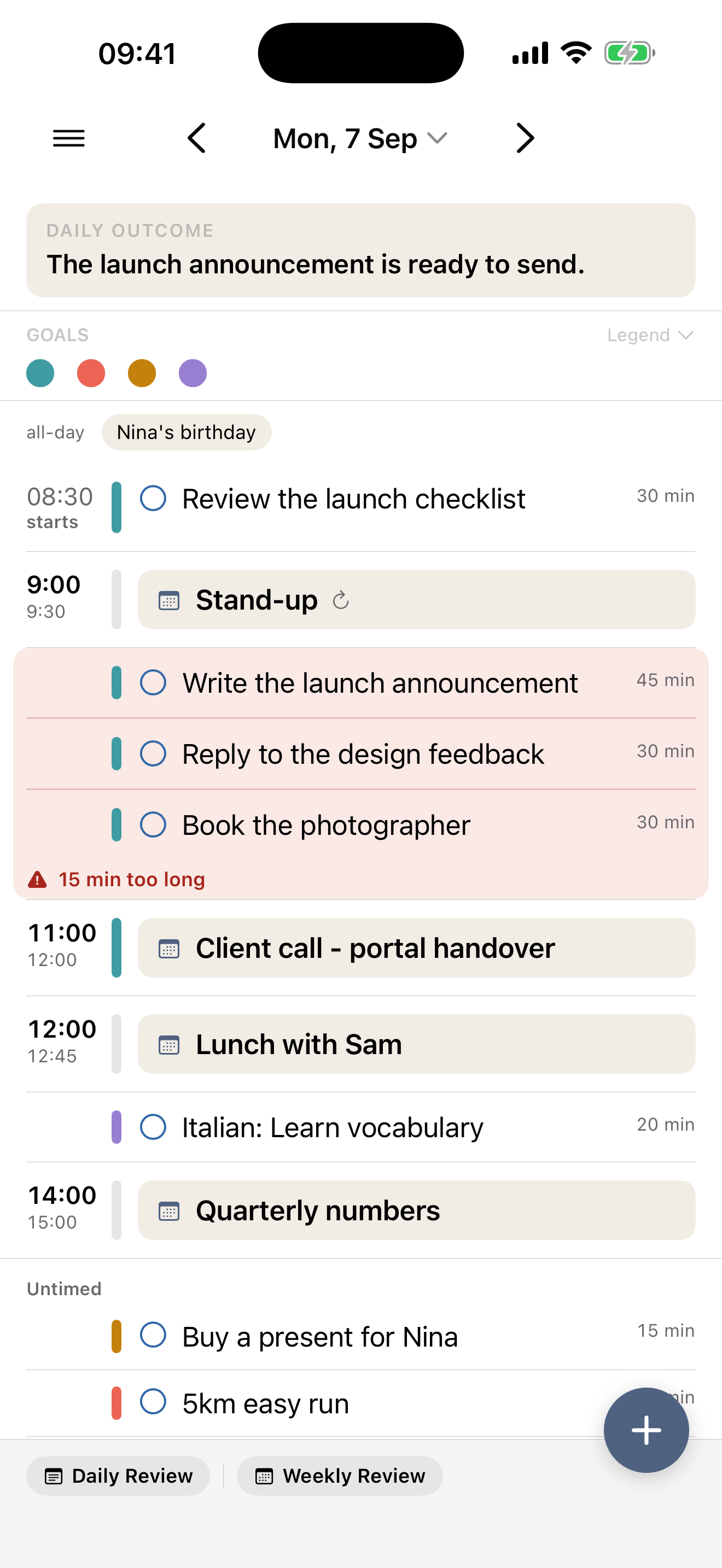
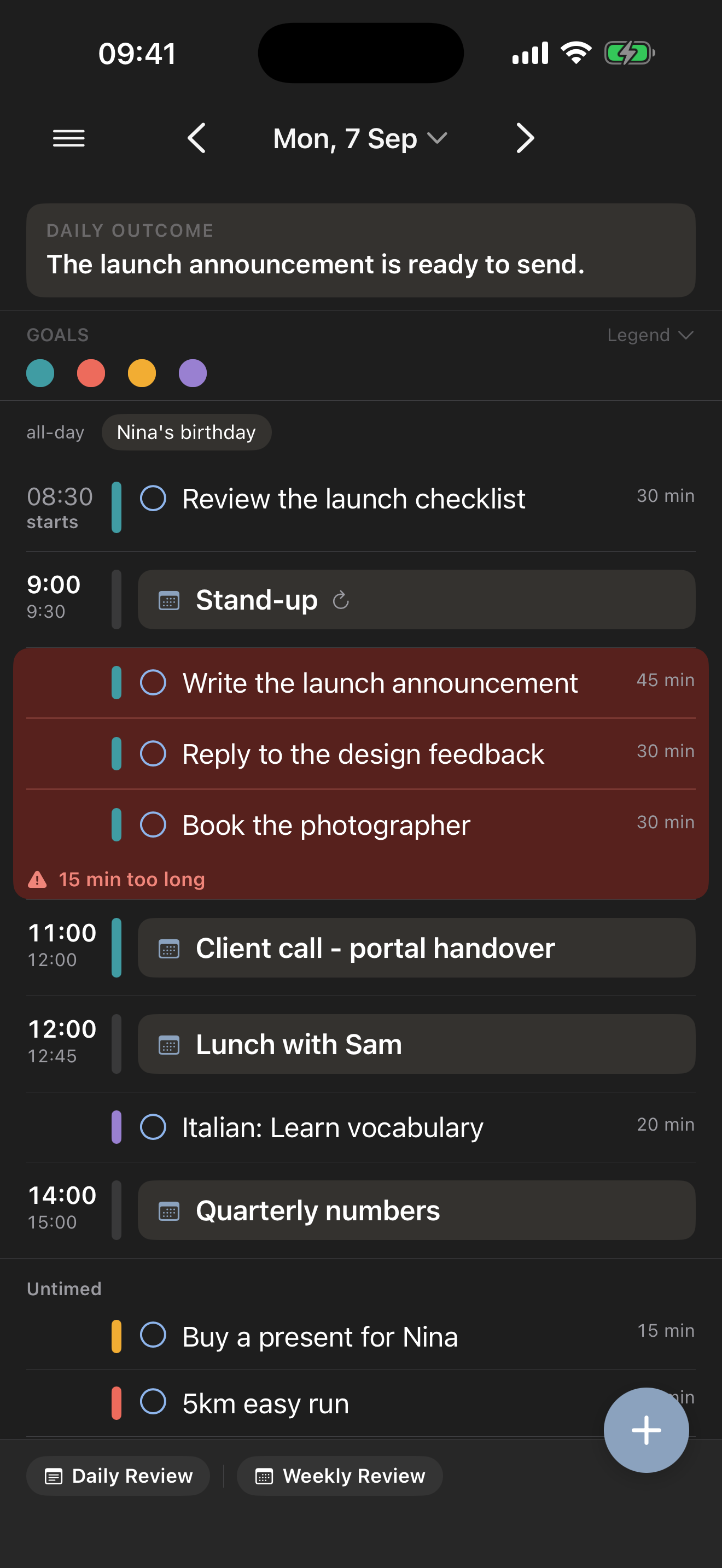
Where a run of tasks sits between two appointments, Make My Day adds up how long those tasks need and compares it with the time actually available before the next appointment starts. When they don’t fit, those tasks share a soft red panel with the shortfall written underneath: 15 min too long.
It appears only when there’s a problem — a stretch that fits stays completely plain — and it’s live, so shortening a task or dragging one out makes it recalculate on the spot. There is nothing to switch on and nothing to configure.
Two details change the numbers and are worth knowing before you start cutting: a task with no duration counts as thirty minutes, and an appointment your calendar shows as Free doesn’t block the time at all. The capacity warning explains exactly what is counted, and what the day’s computed start and end times mean.
2. Name what the day is for
Before you remove anything, write the outcome that would make today count. One sentence, at the top of the day.
This is the step people skip, and it’s the one that makes everything after it easy. Without it you’re cutting by gut feeling, and everything feels equally necessary. With it, each item answers a plain question: does this serve the sentence, or not?
3. Move things, don’t delete them
Take the items that don’t serve the outcome off the day. They go back where they came from — nothing is deleted, nothing is lost. They simply stop pretending to be this afternoon’s problem.
Two kinds of thing are worth keeping even when they don’t serve the outcome:
- anything genuinely time-bound, where someone else is waiting on you
- one small thing you’ll enjoy finishing, because a day of nothing but the hard thing rarely survives contact with the afternoon
Everything else can wait a day. If you find yourself arguing to keep an item, that argument is usually the outcome sentence doing its job.
4. Look at what’s left
What remains should be visibly smaller than what you started with, with real gaps between the fixed points. If it still looks full, you haven’t finished — go back and cut again against the same sentence.
The red panels are a useful finish line here. While one is still showing, some stretch of the day is still promising more than it can hold. When the last one goes quiet, the plan in front of you is one the hours can actually take.
When the day still can’t hold it
Sometimes the honest answer is that the day cannot fit what’s been committed to it, even after cutting. Seeing that clearly is itself worth the five minutes: it’s the difference between quietly failing at six in the evening and being able to say at nine in the morning that something has to move.
That is the whole point of a hint that shows up while you’re still planning. Nine in the morning is when the shortfall is still someone else’s decision to make with you; six in the evening it is only an apology.
Related: Plan tomorrow in five minutes makes overloaded days rarer, and Goals explains how linked work makes the cutting decisions easier.